Follow your first customer conversation
New to Chatinbox? Follow a sample message from the first reply to the handoff and reminder. Then choose what you want to explore with your team.
Belvira demo account · Sample data
Follow one conversation with us
Belvira is our demo company. The images below recreate sample records from the demo account in the new Chatinbox interface. In this conversation, the customer wants to try the team’s workflow.
The demo account itself shows the Turkish interface. These images show the same screens in English.
Open the conversation
Read the customer’s question and earlier messages in one conversation. In this example, Admin confirms the request and explains the next step.
Explore the shared inbox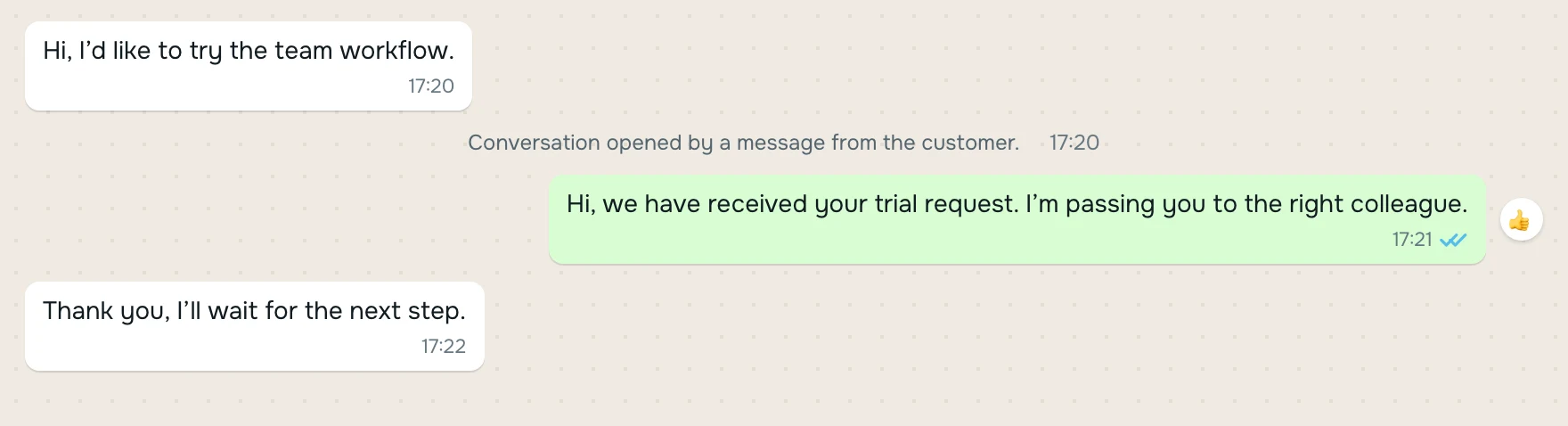
Hand the conversation to a teammate
The conversation moves from Admin to Ayşe. The handoff record shows who transferred it and who received it. Ayşe can read the earlier messages in the same conversation.
Explore team assignment
Set a reminder for the next step
Add a reminder when you need to return to a conversation later. This example has two completed follow-up records. Reminders help your team track the work still to do.
Explore customer records and follow-up
Setting a reminder does not send an automatic message to the customer. We can discuss how your team wants to follow up during the demo.
Route recurring requests
The demo flow checks for a branch name in the message and routes the conversation to the relevant team. This example uses keyword rules. We can also discuss the routing your team needs.
- Branch name in message
- Defined condition
- Relevant team
A few more things to try
Keep the same conversation open. Look at the customer card, choose a saved reply and leave an internal note for your team.
- Customer card
- Internal notes
- Saved replies
- Tags and filters
YOUR NEXT STEP
What would you like to explore?
Choose the topics that matter to your team. Copy the note and share it with the person arranging your demo.
In the demo, I would like to explore our team’s daily workflow.
Your selection is not sent automatically. You can also share the topic names directly. To discuss an integration, include the system’s name.
