Never lose track of a customer waiting on WhatsApp Web
Ci Light is a Chrome extension for WhatsApp Web. It shows chats waiting for a reply with their waiting time, sets follow-up reminders and adds chat notes and templates. It never sends messages.
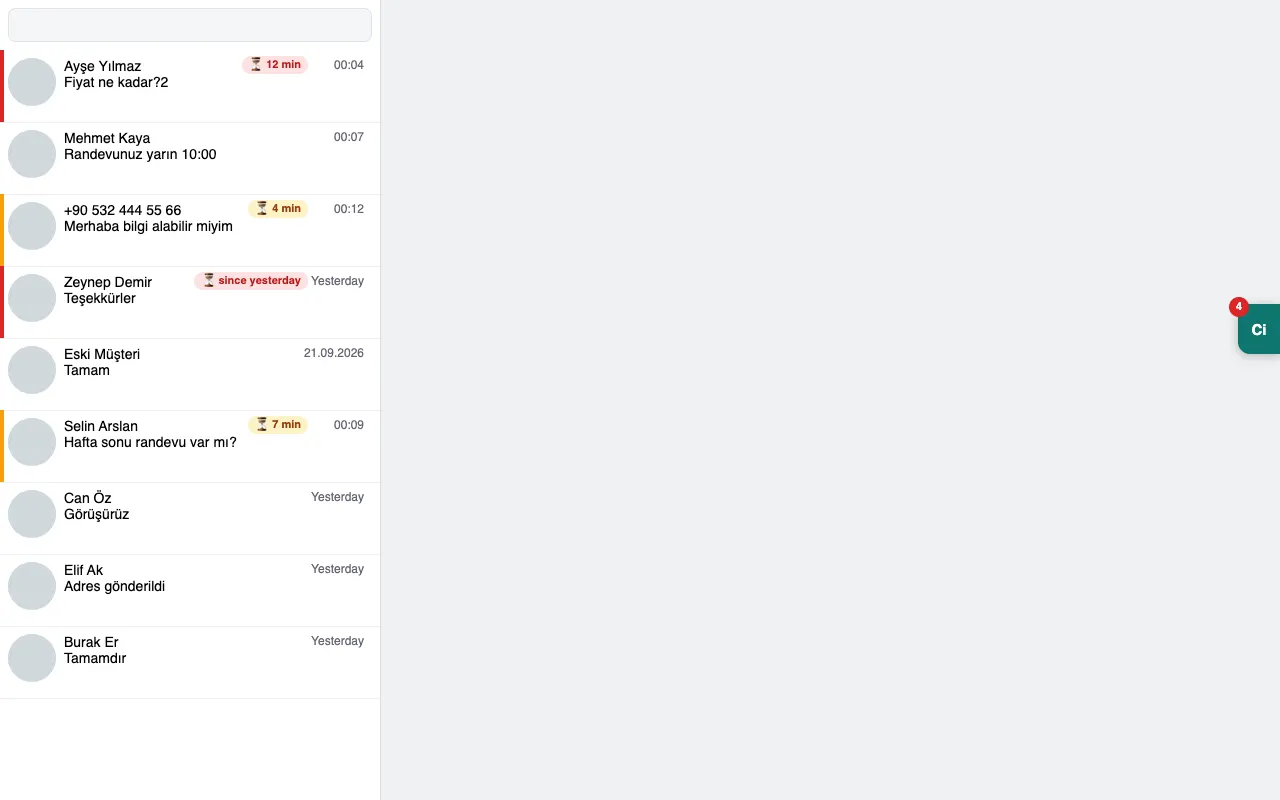
When someone reads a message and moves on without replying, the customer sees blue ticks and waits. Ci Light marks those chats in the list with their waiting time, so you see which one to answer first.
Write to us and we will send you the Chrome Web Store link. Ci Light never asks for your WhatsApp password or login details.
Türkçesi: chatinbox.net/urun/ci-light
What does Ci Light do?
- Chats waiting for a reply: chats whose last message came from the customer show how long they have been waiting. By default, those waiting longer than 30 minutes turn red.
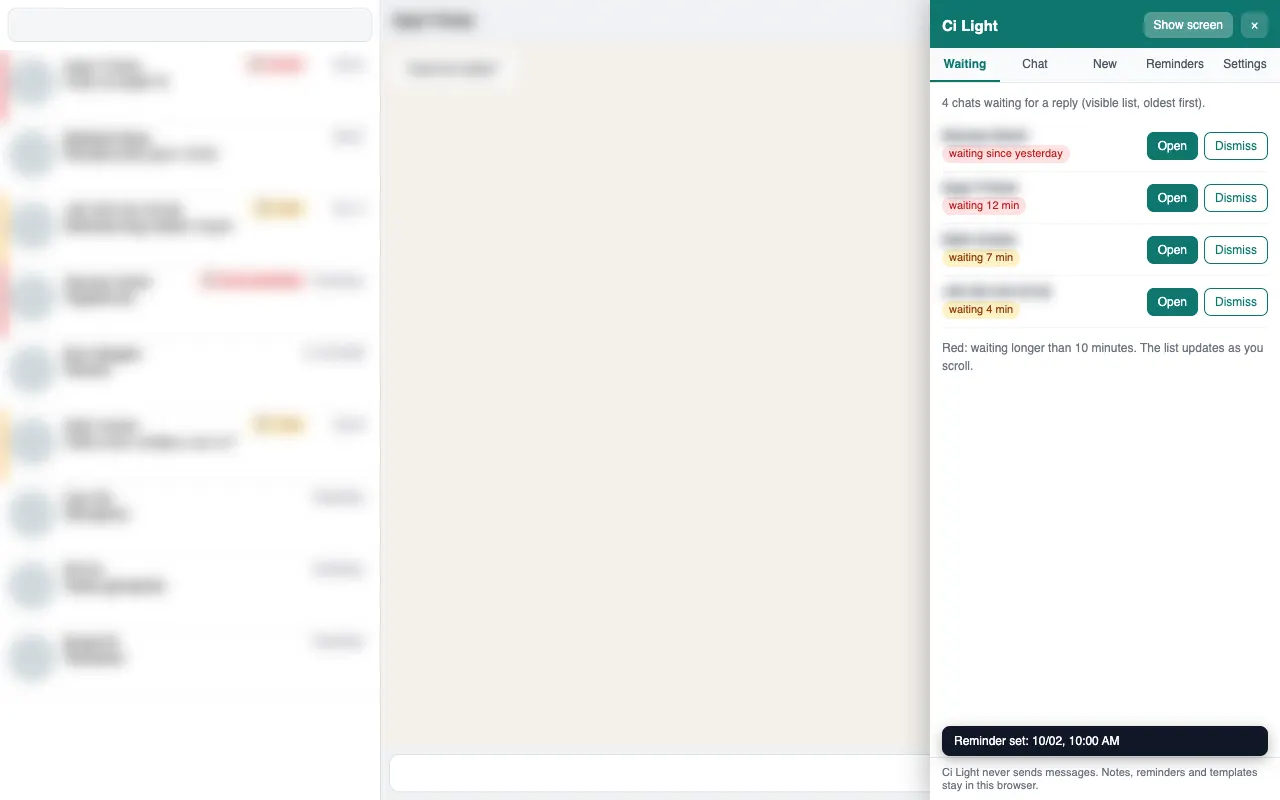
- Hide screen: Alt+Shift+G blurs chats and photos; the chat under your mouse stays readable.
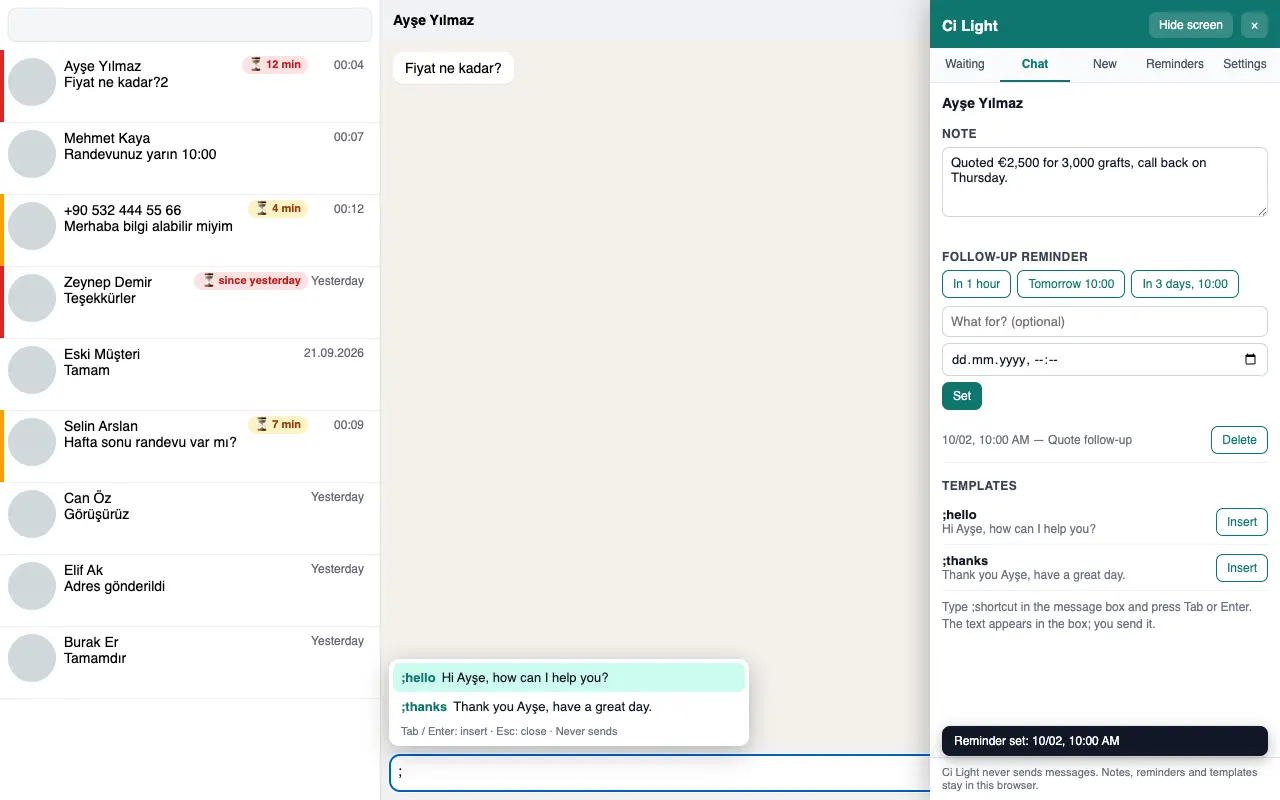
- Follow-up reminders: set a reminder such as "Tomorrow 10:00". When it is due, a notification appears; one click opens the chat.
- Chat without saving the number: paste a phone number with its country code and the chat opens.
- Chat notes: keep a short note for each chat; you see it when you open the chat.
- Templates: type ;shortcut in the message box and press Tab; the saved text appears in the box. {name} is filled with the first word of the chat name.
- Turkish and English: the panel follows Chrome's language; you can change it in Settings.
Why does it never send messages?
Extensions that send bulk messages, auto-replies or scheduled messages can break WhatsApp's rules and get a number banned. That is why Ci Light only shows and reminds. A template goes into the message box; you always press send yourself.
Your notes, reminders and templates stay in the browser on this computer; Ci Light has no server. Details are in the Ci Light privacy policy.
Hide the screen at the front desk with one key
Someone standing at your desk may see another patient's message or photo on the screen. Alt+Shift+G blurs chats, messages and photos; you read the chat under your mouse. The same key brings the screen back. While hiding is on, reminder notifications do not show the chat name.
Inside the product
Illustrative screens: sample names, no real patient data.
Who is it for?
- Clinic front desks that answer prospective patients on WhatsApp Web (aesthetic, hair transplant, dental)
- Small teams and shops that reply to customers on WhatsApp Web
If several agents handle WhatsApp, Instagram DM and calls together, the Chatinbox panel may be what you need. Book a 15-minute call.
Frequently asked questions
Does Ci Light send messages?
No. Ci Light never sends a WhatsApp message by itself. When you pick a template, the text goes into the message box and you press send yourself. Bulk messaging, auto-replies and scheduled sending are left out on purpose, because that kind of automation can break WhatsApp's rules and get your number banned.
Where are my notes and reminders stored?
Only in the Chrome browser on the computer where the extension is installed. Ci Light has no server, so it does not send your notes, reminders or templates to Chatinbox or anywhere else. That also means they do not move to another computer. You can delete every record with the delete button in Settings or by removing the extension.
Do I need a Chatinbox account to use Ci Light?
No. Ci Light works on its own; you log in to WhatsApp Web as usual. Chatinbox is a separate platform that brings WhatsApp, Instagram DM and call conversations into one panel. If your team grows and you want to handle several channels together, we look at your needs in a 15-minute call.
Which WhatsApp accounts does Ci Light work with?
Ci Light works with the account you use to log in at web.whatsapp.com, whether it is linked to the WhatsApp or the WhatsApp Business app. The extension runs only on the WhatsApp Web page and does not access other sites. Ci Light does not change WhatsApp Business quick replies or labels; it adds waiting times, reminders and notes next to them.
What does hide screen hide?
It blurs the chat list, the messages in the open chat, the chat header and photos, and also the names and notes in the Ci Light panel. The item under your mouse becomes readable and the message box stays clear. You turn it on and off with Alt+Shift+G (Option+Shift+G on a Mac); the setting survives a page reload.
Try Ci Light with your team
Ci Light is in early access. Write to us and we will send you the Chrome Web Store link and the install guide.
Ci Light is developed by Chatinbox Communications LLC. It is not affiliated with or endorsed by WhatsApp. WhatsApp is a trademark of WhatsApp LLC.
How to do it
Step-by-step guides from the help center for this feature:
